Winbuzz ID Login Guide: Access Your Account Easily
Introduction
Once your account is created and your credentials are in hand, the next thing every new user wants to do is log in and start exploring the platform. But for many first-time users, even this seemingly simple step can come with a few questions — where exactly do I log in, what do I do if something goes wrong, and how do I make sure my account stays secure every time I access it? Getting your Winbuzz ID Login right from the very beginning sets the tone for everything that follows. A smooth, secure login process means you spend less time troubleshooting and more time doing what you actually came here for — betting on cricket with confidence. This guide covers everything you need to know about accessing your Winbuzz account easily and safely, every single time.
Where and How to Log In
The first thing to understand is that Winbuzz is accessed through a specific link or application provided directly by your authorised provider. Unlike platforms that have a single publicly listed website, Winbuzz operates through provider-shared access points. This is an important detail that many new users overlook.
Here is how to log in correctly:
- Use only the link or app that your provider has shared with you directly
- Never search for the platform through a general search engine — results may include fake or phishing sites
- Bookmark the correct link on your device immediately after your first successful login
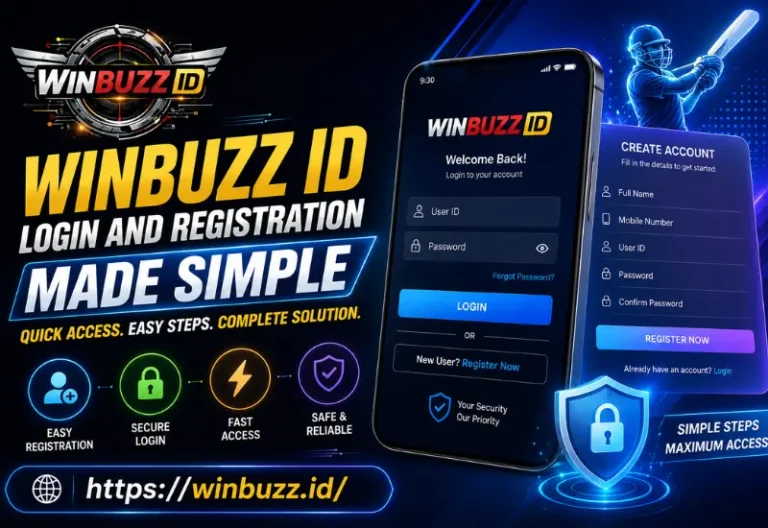
- Enter your username and password on the login page exactly as provided
- Change your temporary password to a personal, secure one on your very first login
Setting Up a Strong Password
Your password is your first line of defence against unauthorised access. Many users set a weak password during their first login and never think about it again — this is a habit worth breaking immediately.
A strong password should include:
- At least ten characters in total
- A mix of uppercase and lowercase letters
- At least one number and one special symbol
- Nothing obvious like your name, birthday, or phone number
- Something unique to Winbuzz — do not reuse a password from another platform
Once you have set a strong password, store it somewhere secure and private. A password manager app is an excellent option for this.
Common Login Issues and How to Fix Them
Even with the correct credentials, login problems can occasionally come up. Here are the most common ones and what to do about each:
- Forgot your password — contact your provider directly on WhatsApp; they can assist with resetting your credentials quickly
- Account not found — double-check that you are using the correct username and the correct platform link provided by your provider
- Page not loading — check your internet connection, try switching from Wi-Fi to mobile data, or clear your browser cache and try again
- Account temporarily locked — this can happen after multiple incorrect login attempts; contact your provider to have it unlocked
- Credentials not working after a platform update — reach out to your provider as they will be aware of any changes and can guide you through the updated login process
Logging In Safely Every Time
Security during login is not just about having a strong password — it is also about the environment and device you are using. A Winbuzz Online ID is only as secure as the habits of the person using it, which means paying attention to where and how you log in matters every single time.
Follow these habits for safe logins:
- Always use your personal mobile data or a trusted home network — never public Wi-Fi
- Avoid logging in on someone else’s device whenever possible
- If you must use a shared device, always log out completely when you are done and never save your credentials on that device
- Keep your phone and any device you use for betting locked with a PIN or biometric security
- Do not allow your browser to auto-save your Winbuzz password on a shared or public device
How to Stay Logged In Safely on Your Personal Device
On your own personal phone or tablet, staying logged in can be convenient — but only if your device itself is secure.
- Enable screen lock with a strong PIN, pattern, or fingerprint
- Keep your device’s operating system and apps updated regularly
- Do not install apps from unknown sources on the same device you use for betting
- If your device is ever lost or stolen, contact your provider immediately to secure your account
What to Do After Every Login Session
Building a consistent post-session routine is one of the simplest ways to protect your account over the long term.
- Review your recent transaction history to confirm everything looks correct
- Check your active bets and their current status
- Log out completely when you are finished — do not just close the browser tab or app
- If you notice any transaction or activity you do not recognise, contact your provider straight away
- Keep a brief note of your session activity if you like to track your betting performance over time
When to Contact Your Provider About Login Issues
Your provider is your primary support contact for all account-related matters, including login problems. Do not hesitate to reach out whenever something feels off.
Situations where you should contact your provider immediately:
- You cannot log in despite using the correct credentials
- You notice a login from a device or location you do not recognise
- Your account balance does not match what you expect
- You receive any suspicious messages claiming to be from Winbuzz
- Your account has been locked or restricted without explanation
A reliable provider will respond quickly and help you resolve any issue without unnecessary delay.
Conclusion
Logging into your Winbuzz account should be a quick, smooth, and stress-free experience every single time — and with the right habits in place, it genuinely is. If you ever run into any difficulties, the fastest solution is always to reach out through your Winbuzz ID WhatsApp Number contact with your provider, who can resolve most login issues within minutes. Protect your credentials, use a secure connection, log out after every session, and stay alert to anything that does not look right. Do all of that consistently, and your login experience will never be a source of frustration. Your account is your gateway to everything Winbuzz offers — keep that gateway secure, and everything beyond it becomes that much more enjoyable.